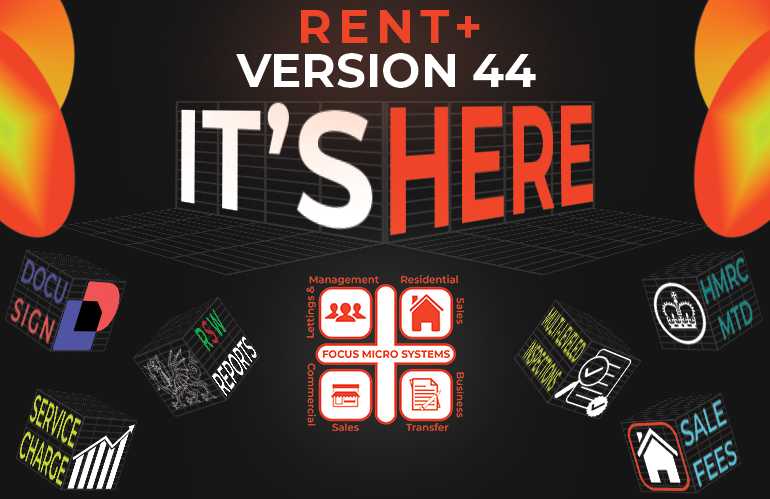
The Wait Is Over
We at Focus Micro Systems are thrilled to introduce the latest update to our complete property software solution, RENT+. Version 44 is packed with innovative features designed to streamline your workflow, enhance efficiency, and give you even more control over your property management processes.
In this post, we’ll walk you through the exciting new features and improvements brought to you via the Version 44 update. Let’s dive in!
The Recap
It’s no secret—at Focus Micro Systems, we take pride in delivering fresh, innovative features to RENT+ with every annual update. That pride quickly turns into excitement, and, well… we may have let slip a few details about Version 44 already!
But if you missed the buzz, don’t worry—we’ve got you covered. Let’s take a moment to recap all the game-changing features packed into this update, so you don’t miss a thing.
Sales Fee Generation
Financial transparency is the backbone of any successful business—especially when handling client funds. That’s why Version 44 introduces a brand-new way to manage your sales and lettings fees.
With this update, you can now separate fees based on management styles while still leveraging RENT+’s powerful automation features. Whether you’re managing a single company setup or operating across multiple entities, this update gives you greater flexibility and control over your financial processes.
More transparency. More efficiency. Less admin. That’s the RENT+ way.

Residential Inspections on Tenant
Staying on top of property upkeep and compliance is essential, especially in block management, where ever-changing legislation and fierce competition demand the best. With Version 44, we’re taking Residential Inspections to the next level—introducing inspections directly at the tenant level!
Now, instead of inspections being tied only to properties, you can track tenant-specific inspections, ensuring detailed reporting, smoother compliance, and more efficient third-party communication. Whether it’s a legally required check or a bespoke inspection tailored to your standards, you’re in control.
🔹 More accuracy
🔹 More flexibility
🔹 More time saved
Managing inspections just got easier!

DocuSign Enhancements
In Version 43, we introduced DocuSign integration to streamline your document signing process (If you missed the release, why not check out the Version 43 news post?). But we’re not stopping there—Version 44 brings even more powerful features to make signing, tracking, and managing documents easier than ever!
Now with:
🔹 Expanded formatting options for greater document customization
🔹 Multiple signing capabilities to handle complex agreements effortlessly
🔹 Chained order enhancements for structured and automated workflows
🔹 67 new merge codes offering further flexibility in document generation
From Tenancy Agreements to Notices, your document workflow just became faster, smoother, and more efficient—saving you hours of admin work.

Advanced Service Charge Options
We know that service charge management is a high-stakes task—one that requires precision, flexibility, and full control. With Version 44, we’ve expanded the Additional Service Charge Demand feature to make your processes smoother, safer, and more customizable.
Here’s what’s new:
🔹 Flat-rate & percentage-based calculations for more accurate charges
🔹 Advanced allocation management to keep every transaction in check
🔹 Quick-view of tenant information
This update puts you in full control, reducing the risk of errors and making service charge handling easier than ever.

Rent Smart Wales (RSW) Reports
For agents managing properties in Wales, staying compliant with Rent Smart Wales (RSW) legislation is a must—but manually compiling the required reports? That was taking hours… until now!
With Version 44, we’ve streamlined the Managed Property List for Agents report, making it:
🔹 Automated—Generate the report in just a few clicks
🔹 Accurate—Pulls landlord & property data directly from RENT+
🔹 Effortless—Say goodbye to manual data entry & admin headaches
Compliance shouldn’t be a burden. Now, staying on top of RSW requirements is faster and easier than ever!

HMRC VAT Return Improvements
VAT Returns are a zero-margin-for-error process, and with Version 44, we’re making them even easier to manage directly within RENT+!
🔹 Enhanced VAT Reports
🔹 Greater Accuracy ensuring compliance and precision
🔹 Faster Workflow—Generate your VAT return in just a few clicks
Need to go one step further? With our MTD with RENT+ plugin, you can submit your VAT return straight to HMRC—saving you time and stress!

But Wait, There’s More!
That wraps up our Version 44 feature recap! But if you want the full deep dive into each of these game-changing updates, be sure to check out our previous blog post. Now, let’s take an even closer look at what Version 44 has to offer and how these new features will streamline your workflow like never before!
A Fresh Look for Your RENT+ Home Screen
The first thing you’ll notice from the release of Version 44 is the refreshed Main Menu—complete with a sleek new background image!
We’ve given the RENT+ home screen a modern, visually appealing update to offer you a fresh, welcoming experience. This new look is just the beginning as we continue to evolve and shape the next generation of RENT+.
But we know that customization is important to you, and some may prefer their own personal style or our classic background. Don’t worry, we’ve got you covered! Your custom colors are safely stored in your user account. If you’d like to revert to your previous setup, simply head to Help > Change Rent Styles and untick “Display Background Image.”
Easier Tradesmen Invoice Refunds
We’ve all been there—refunds from tradesmen happen from time to time. And when they do, we’ve made the process of managing them easier than ever!
With Version 44, you can now handle negative tradesman expenses effortlessly by using the Pay Tradesman routine. The process for raising and paying off these transactions remains exactly the same, so there’s no need to worry about any confusion.
You can even apply these negative expenses when paying multiple invoices at once, making it simple to credit them against your regular expenses.
More Codes, Better Works Orders
We’ve added even more power to your Tradesmen functions with new merge codes for your Job File, giving you greater control and personalisation over your works orders!
These new merge codes allow you to customise your documents even further, including:
🔹 Job Negotiator <jobNegotiator>
🔹 Internal Notes <internalNotes>
🔹 Date Updated <dateUpdated>
🔹 Charge Code <chargeCode>
🔹 Job Cost <jobCost>
With these additions, your works orders will be even more tailored to suit your needs, making them shine even brighter amongst the rest.
Easily Track Public Liability Insurance (PLI) Expiry Dates
Selecting the right tradesman for the job just got easier! With Version 44, we’ve added a Public Liability Insurance (PLI) Expiry Date column to your Tradesmen Search Screen, giving you instant visibility on whether your chosen tradesmen are covered for the work ahead.
This handy feature appears across your standard search as well as in searches available through the job file function, making it effortless to verify PLI status. And just like other columns in the search screen, you can simply click the header to sort by expiry date for quick, easy access!
Now you can be confident that every tradesman you select is fully protected and ready for the task at hand.
Stay on Top of Rent Smart Wales Licence Expiry Dates
We’re helping you keep things running smoothly with RSW Licence Expiry Date Reports, now available in the property category!
Much like the Landlord File report, this new addition allows you to view Rent Smart Wales licence information and expiry dates associated with your properties. What’s more, you can filter this report by date range or landlord, ensuring you can pinpoint exactly what you need with ease.
Managing Privately Rented properties and staying compliant with RSW licences has never been simpler or more efficient!
Enhanced RENT+ Uploads
You may recall from Version 43 that we introduced Real-Time Data Feed (RTDF) Uploads to streamline your portfolio advertising. After receiving such a positive response, we’ve been hard at work enhancing this technology, making sure that the speed and quality are not just acceptable, but truly advantageous for your business.
In Version 44, we’ve made updates to both RTDF and Bulk-Load Mass (BLM) uploads:
- RTDF uploads to Zoopla now support additional fields, giving your property listings that extra spark to stand out and grab attention.
- BLM uploads have been refined, especially when handling sales properties, offering a more dynamic and customizable output based on your financial details screen.
These upgrades aim to make your property uploads quicker, smarter, and more impactful.

More Exciting Updates Across Our Platforms
As you can see, the team at Focus Micro Systems have been hard at work pushing the RENT+ software to even further heights – but that’s not all! If you missed it, we’ve also introduced some fantastic enhancements to our external platforms, including FCP Agent Banking and our HMRC-recognised MTD With RENT+. To see a full breakdown of these enhancements, check out our FCP Agent 4.5 Update post.
The Manual Is Even Bigger!
To ensure you can make the most of all the exciting updates in Version 44 and beyond, we’ve also refreshed our comprehensive RENT+ Manual. With detailed explanations and step-by-step guidance on the latest features, our updated manual is your go-to resource for getting up to speed quickly.
Whether you’re navigating the new Sales Fee Generation tools or exploring advanced upload options, everything you need is now clearly outlined to help you take full advantage of all the new capabilities RENT+ has to offer.
For a smooth transition and to get the most from your software, be sure to check out the updated manual – available right within the RENT+ platform.
Sit Back And Watch The Experts
We’re thrilled to announce that we’ll be hosting a series of free webinars exclusively for our current RENT+ clients to walk you through the exciting new features in Version 44 – the perfect excuse to sit back with a cup of tea to break up your work day. These webinars are a fantastic opportunity to get hands-on guidance, expert tips, and live demonstrations, all at no extra cost.
We will be sending invites to these webinars via email to all users of RENT+, so keep an eye out for yours and join us as we explore the possibilities available with RENT+ Version 44.

Bug Fixes
- When adding a new Landlord record the default tax setting is now Net (it was Gross).
- Visa/Right to Rent Dates Report fix. It was not dealing with empty date dues correctly.
- Added “PRICE_QUALIFIER” to BLM definitions for “Rightmove Extended” (FTP & SFTP) & “Rightmove Extended with KF & VT” (SFTP).
- Multi-Tenant now displays appropriate colour depending on if colours are on or not.
- Tenant name and contact fields now allow max characters, to allow Multi-Tenant to freely update these when adding/amending Multi-Tenants.
- Landlord, Property & Tenant Other charges are now considered where applicable during the deletion of a Nominal, Tradesman, Service Charge or Charge Code.
- To Do Today screen loading/View button vast speed improvements for the outstanding diary entries, chasing diary entries and the outstanding jobs.
- Paying off negative expenses using the Pay Expense Once Posted feature didn’t automatically tick the expense when the Pay Tradesman screen was displayed.
- Fixed an error when opening the Additional SC Demand screen if the SC Year was missing on a property. Now, it will automatically display the previously used default value.
- Updated the Additional Service Charge Feature Options screen, so that clicking the X now takes you back to the previous screen where you input the description amount etc.
- Resolved a problem with the To Do Today screen Property Year End dates section where the ‘View’ button wasn’t displaying any year end dates.
What Are You Waiting For?
That concludes our breakdown of the Version 44 update, available to you right now, so what are you waiting for? Sign in today to see the latest in property software solutions.
For even more information, why not check out our Update Letter available to all RENT+ users. Simply open the “Help” menu on the Main Menu of RENT+ and explore the “Updates” section to find our Version 44 Update Letter.
Alternatively, call 08712 500 021 or email support@focus-property.co.uk to reach out to a member of our support team who would be delighted to assist you.
Thank You,
The Team at Focus Micro Systems.